



To run profitable creator programs in 2026, you need influencer campaign analytics and roi tracking built into your workflow from day one. This guide shows e‑commerce teams exactly what to measure, how to implement tracking, and how to turn creator activity into orders and revenue without guesswork.
Get a free analytics consult → to see if creator traffic spends more or less than your site norm. Add customer acquisition cost (CAC) to compare influencer spend to paid social and search. Ideally, you see “Track sales, engagement, and brand lift in one place” with “Real-time performance tracking and analytics,” so you’re not stitching CSVs the night before your exec review.
- Awareness: reach, impressions, percent video viewed
- Engagement: saves, shares, comments, click-through
- Conversion: revenue, orders, AOV, CAC, repeat rate
Why This 3-Tier View Works
This structure stops teams from calling a campaign a win based on reach alone. It also helps you coach creators. If engagement is high but clicks are low, your CTA or link placement needs work. If clicks are strong but revenue lags, look at landing page speed or the offer. As a result, you improve the weak link, not the loudest metric.
It also creates a shared language across teams. Growth can prioritize conversion fixes, social can optimize engagement drivers, and brand can monitor awareness lift without fighting over one vanity metric.
Also Read!
Infliuence vs Grin for E-Commerce Brands: Which Is Better for Influencer Campaign Analytics?
Best Influencer Campaign Analytics for E-Commerce Brands in 2026
Step-by-Step: Setting Up Influencer Analytics That Tie to Revenue
Most tracking fails because setup is rushed. Here’s a 7-step framework I use on every e‑commerce campaign. You can start it today and have first signals this week. Use it to bring your influencer campaign analytics and roi tracking into one clean flow.
Plan and Tagging Setup for Influencer Analytics & ROI Tracking
Start with goals. Pick one primary outcome per campaign. For example, new customer orders, UGC volume for paid ads, or email signups for a launch. With one clear goal, you avoid mixed signals and scattered tagging. If stakeholders insist on multiple outcomes, rank them so tradeoffs are obvious when optimizing mid-flight.
Second, label links. Use UTMs for every creator post, story, and bio link. Keep a standard name for source, medium, and campaign so you can roll up results across creators.
Also create unique, human-readable promo codes per creator and per offer. Codes help attribute sales that come from dark social, screenshots, or offline sharing where links break. If you ship internationally, align code format with your e‑commerce platform’s constraints so redemption and reporting stay clean.
Use a consistent pattern, for example: utm_source=influencer_jane_doe, utm_medium=ig_reel, utm_campaign=fall_launch, utm_content=discount_15. Document the scheme in a shared sheet so new teammates and agencies follow it.
When in doubt, choose readability over clever abbreviations; clear naming reduces reconciliation time later. If you rely on link shorteners or deep links, make sure redirects preserve UTMs and pass through correctly on iOS and Android. A five-minute QA per creator link avoids hours of cleanup post-launch.
Pro tip: build a simple UTM builder form that enforces your naming conventions with dropdowns for platform, format, and campaign. This reduces typos and ensures consistent casing across hundreds of links. Save a copy per campaign and require creators or agencies to paste final links there before anything goes live.
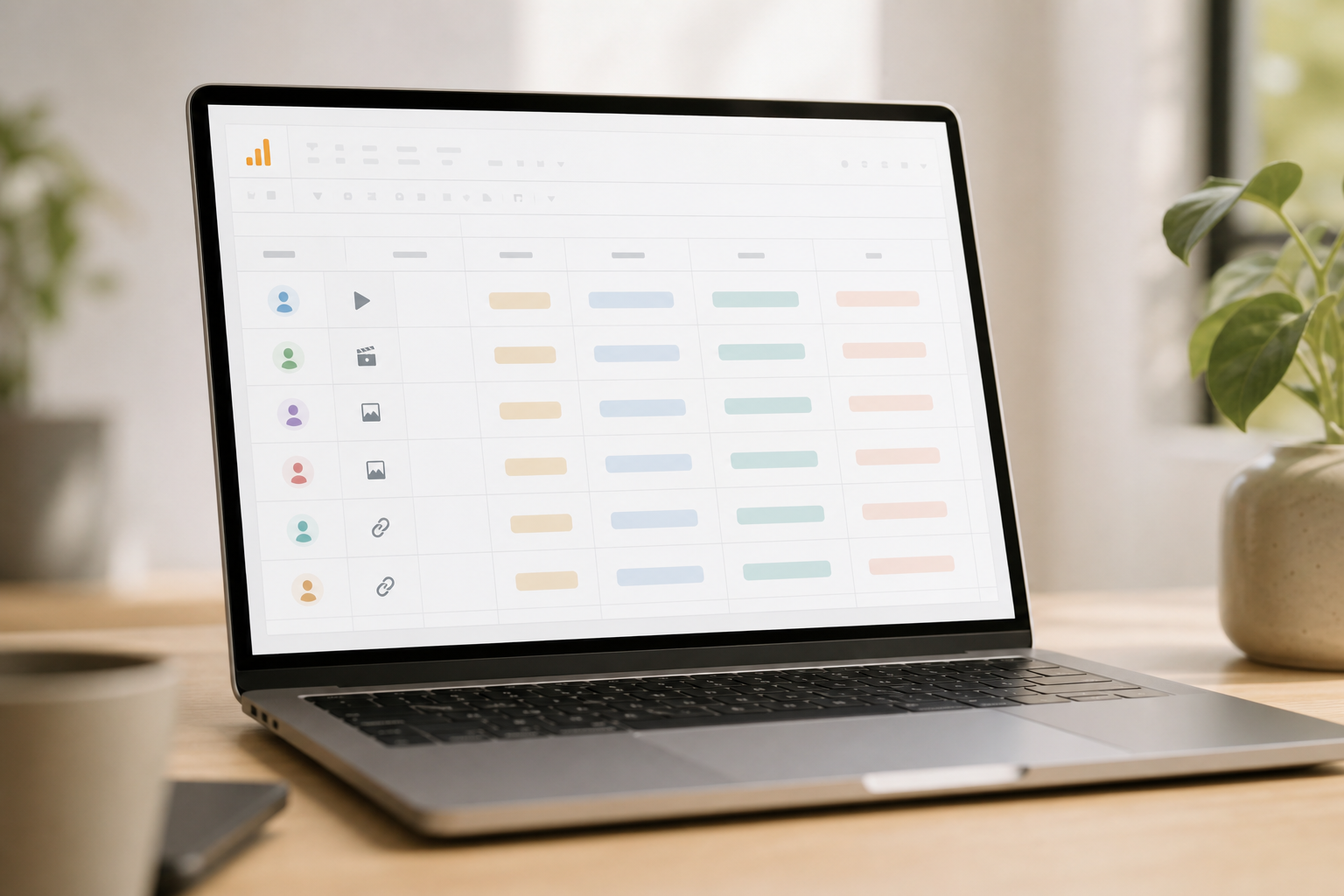
Pixels and Baselines for Campaign Analytics
Third, add pixel tracking. Ensure your Meta, TikTok, and Pinterest pixels fire for view content, add to cart, checkout, and purchase. Map those to your store’s events. If paid boosting is part of the plan, confirm event match quality before launch. If you use server-side tagging with GA4 or Meta’s Conversions API, verify deduplication is working so numbers don’t inflate.
Run a formal QA checklist. Trigger key events in a staging environment, confirm parameters in real time using GA4 DebugView or TikTok Events Manager, and capture screenshots or screen recordings as evidence. Store this in your analytics wiki so anyone can reproduce the tests when issues arise.
Add device and browser coverage to the checklist. Test with ad blockers on and off, and verify that consent mode or CMP logic doesn’t suppress critical events in key regions. If you run app deep links, validate the full path from social app click to in-app product page and purchase to ensure attribution isn’t broken mid-flow.
Fourth, set baselines. Pull the last 28–90 days of organic and paid metrics. Record average traffic, conversion rate, and AOV.
Now you can show lift, not just raw numbers. Finance will ask for this. Beat them to it. If you have seasonality, create separate baselines by month or major promotional periods so your influencer campaign analytics and roi tracking comparisons stay fair.
Consider adding LTV baselines by cohort if you have enough data. Creator-driven cohorts sometimes have higher repeat rates than paid social, which changes what you can afford on first purchase CAC. Document assumptions so future teams understand how you framed the comparison.
Attribution and Reporting for Influencer ROI Tracking
Fifth, choose an attribution model. Last click undercounts creator influence. Consider a first-click or position-based view for top-of-funnel creators. You can also compare models side by side. For brands with longer consideration windows, add view-through insights where platforms support them, but label clearly to avoid double counting.
For context on attribution logic, see Wikipedia’s overview of marketing attribution. Then, build a live dashboard.
Show reach, engagement, clicks, orders, revenue, AOV, and CAC by creator and by platform. Include pacing to goal and a simple red/green status.
Aim for “Smart Analytics & Reports” that give “Data-driven insights to improve influencer campaigns,” not a static weekly deck. If possible, blend platform data (views, clicks) with site analytics (sessions, conversions) and commerce data (orders, revenue) so your ROI tracking is end to end.
Add a cohort or retention view to see whether creator-acquired customers return at different rates. When budgets are tight, include an incrementality or geo-split test where feasible to validate lift beyond attribution models.
Normalize results by spend and exposure so creators are compared fairly. Track effective CPM, CPC, and CPA alongside CAC to catch anomalies quickly and to explain performance in exec reviews. When stakeholders ask “why is CAC up week over week,” you can point to context like CPM inflation, creative fatigue, or a shift in platform mix.
Cadence and Iteration for Influencer Campaign Tracking
Seventh, set a review cadence. Meet twice a week during flight. Adjust briefs, offers, and paid boosts based on the latest data. After the campaign, do a 30‑day halo check to catch delayed conversions and repeat buys. Come prepared with hypotheses: test new hooks, swap a static thumbnail, move links higher in captions, or try limited-time offers to lift click-through and AOV.
Create a lightweight creative testing rubric. Tag each post with hook type, format (reel, story, carousel), and offer so you can correlate inputs with outcomes and brief winners back to creators quickly.
Close the loop with creators by sharing a one-page readout of what worked and why. Highlight the top three hooks and the two biggest friction points, with screenshots and data snippets. This teaches your roster how to self-optimize and speeds up iteration in the next wave.
The 7 Steps at a Glance
- Define one primary goal for the campaign.
- Assign UTMs and unique promo codes to each creator.
- Confirm pixels fire for all key commerce events.
- Establish 28–90 day baselines for fair comparisons.
- Pick an attribution model and document it.
- Build a live dashboard with pacing to goal.
- Schedule mid‑week and end‑week reviews.

“Sales spiked 40% in the first month, all through relatable reels.” — Pulse Energy
Therefore, the framework creates fast feedback loops. Creators get clear notes. Paid teams see which posts deserve allowlisting. And leadership sees the revenue view without chasing screenshots. The value is alignment: everyone acts on the same numbers, so you cut reaction time and protect budget when questions come up.
Get instant pricing details → helps you discover creators, manage briefs, and see results side by side. One option is Infliuence, trusted by 50,000+ brands and creators, with AI creator matching, Smart Analytics & Reports, and ready-made templates.
You also get native integrations that consolidate platform metrics with GA4 and Shopify signals. That reduces manual exports and keeps your data governance consistent across teams without creating a parallel spreadsheet universe.
Signing up is completely free. Most users are Live within 24 hours. If you already have GA4 and Shopify, you can still use a platform as the single pane of glass to consolidate creator-level performance without rebuilding your analytics stack.
Moreover, ask two questions before you pick a tool. First, can we audit UTMs and codes in bulk? Second, can we see attribution views side by side?
If yes, your reporting will speed up and your team will make better calls in flight. Bonus if the tool supports promo-code ingestion and post-level asset tracking, which makes creative iteration twice as fast. Also confirm you can export raw post-level data to a warehouse or spreadsheet.

Also Read!
How to Use AI Influencer Matching to Drive Sales for Your E-Commerce Brand
Key Takeaways and What to Do This Week for Influencer Campaign Analytics
You don’t need guesswork to run influencer campaigns. You need clear goals, clean tags, and a live dashboard. Then you need the discipline to review twice a week and change course fast. That’s how your influencer campaign analytics and roi tracking starts to match revenue targets, not vibes. When your board asks how creator spend performs versus paid social, you’ll have consistent CAC, AOV, and repeat rate data to show side by side.
Tie your KPIs to business outcomes like new customer orders, margin, and LTV so the story connects directly to revenue impact.
If you’re unsure where to begin, start with one creator and one platform to validate the workflow. Build the dashboard for that single pilot, iron out naming and pixel issues, and only then scale to more creators. This avoids amplifying small mistakes and gives you a repeatable foundation.
Key Takeaways
- Measure by tier: awareness, engagement, conversion. Don’t judge on reach alone.
- Standardize UTMs and codes. One naming scheme saves hours and prevents data loss.
- Avoid last-click traps. Compare models and check the 30‑day halo.
- Build one live dashboard. Show reach-to-revenue by creator and by channel.
- Review mid‑week and end‑week. Change briefs, offers, or boosts based on the latest data.
- Document decisions and learnings in the dashboard. Future campaigns will launch faster and perform better.
- Track creative attributes (hook, length, format, offer) so winners are obvious and repeatable.
- Compare CAC and AOV from creator traffic to your sitewide baseline to justify scaling or pausing.

What to Do This Week to Improve Influencer ROI Tracking
- Monday: Audit current tracking. List your UTMs, pixels, and codes. Note gaps and a single naming scheme.
- Tuesday: Set up UTMs and promo codes for each creator and post type. Share a link sheet.
- Wednesday: Configure attribution. Document which model you’ll use and why. Set up a halo check.
- Thursday: Build a live dashboard with reach, engagement, clicks, orders, revenue, AOV, and CAC by creator.
- Friday: Review with your team. Decide which creators to brief again, which posts to boost, and which offers to test next.
- Optional: Run a small A/B on landing pages for top performers over the weekend, then roll winners into next week’s briefs.
- Optional: Draft next week’s creator briefs with 2–3 new hooks and a refreshed offer based on this week’s insights.
Furthermore, lock this cadence for every campaign in 2026. Your reports will be faster, your spend will work harder, and your next budget ask will feel a lot easier. Consistency compounds: each flight gets easier to plan, track, and optimize when your team uses the same influencer campaign analytics and roi tracking playbook.
Before you wrap, add a short retro note in the dashboard on what you’d change next time. Flag any data collection issues, list the two most promising creative angles, and record which offers cleared your CAC threshold. This turns each campaign into a playbook chapter your whole team can learn from.